KEMIGLEAM Monitor Light Bar Review: Is $31.50 Worth It? (Honest 2026)
Do you work late with a bright screen in a dark room? Your eyes keep adjusting between the glowing display and the dark desk around it, and by the end of the evening they feel tired. A monitor light bar fixes that exact problem. The KEMIGLEAM Monitor Light Bar DT02-1P is a USB-powered bar. It sits on top of your monitor and lights your desk without throwing glare back at the screen. It costs $31.50 on AliExpress and carries a 4.9-star rating across 383 sales. I checked the listing, the keyword data, and the whole category before writing this. Here is the honest answer, with every catch included.
The short version: The KEMIGLEAM Monitor Light Bar DT02-1P is a strong budget pick for anyone who works at a screen after dark. It is USB-powered, takes zero desk space, and lights the desk without screen glare. The 4.9-star average across 383 sales is impressive. Still, 383 is a small sample. The honest catches are real. KEMIGLEAM is a lesser-known brand. The listing publishes no CRI or lux figure. And there is no wireless remote or rear bias light. At $31.50, it costs about a fifth of the BenQ flagship. If you want the core light-bar experience at a budget price, this is a fair buy.
Best for: home-office workers and students who work late at a flat monitor and want glare-free desk light without paying flagship prices.
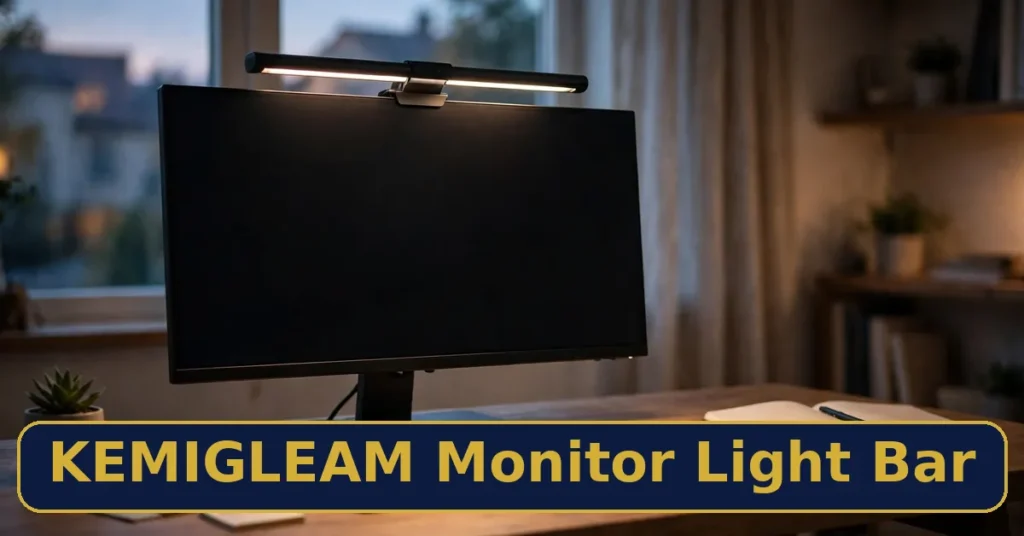
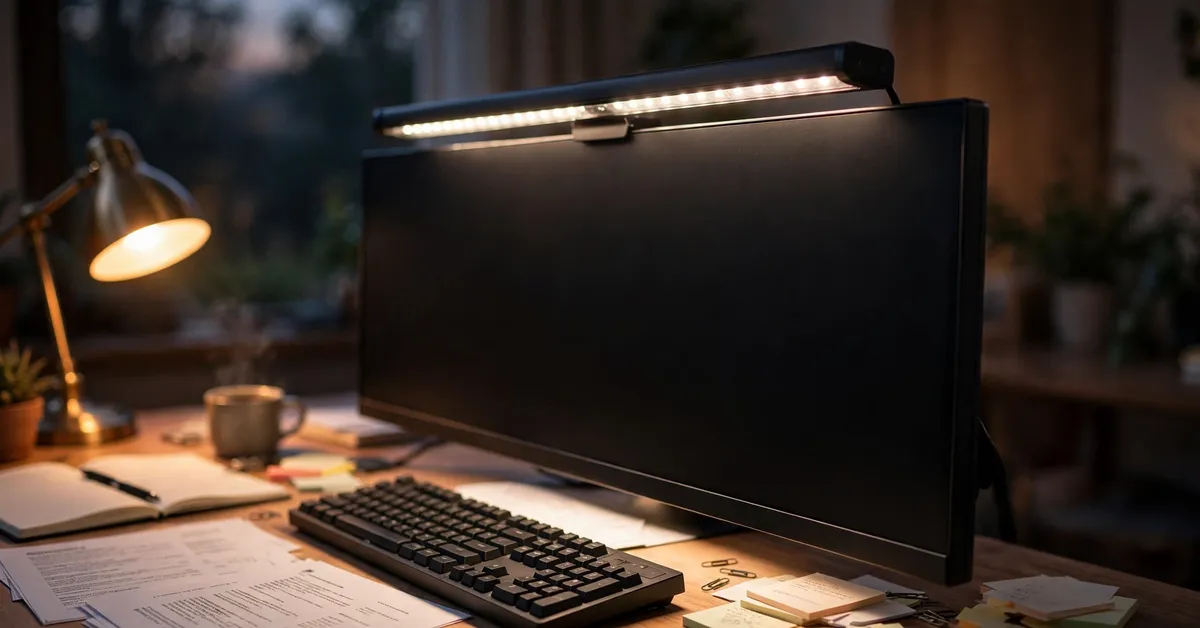
The KEMIGLEAM Monitor Light Bar DT02-1P is a slim LED task light that rests on the top edge of a computer monitor. It throws light forward and down onto the desk and keyboard. It keeps light away from the screen, so you get a bright workspace with no reflection on the display. It runs on USB power, needs no wall outlet, and takes up no desk space.
A monitor light bar solves a problem most people feel but few can name. When the display is the only real light source in the room, your eyes spend the evening moving between a glowing screen and a dark desk. That constant re-adjustment is a quiet source of end-of-day eye fatigue. A desk lamp does not fix it, because a lamp bright enough to light the desk also throws a reflection straight back off the screen. A light bar is the fix that does not. The KEMIGLEAM DT02-1P brings that fix to a $31.50 price point.
One honest note up front: the listing does not publish a CRI figure, a lux rating, or an exact color-temperature range for this model. I will not invent those numbers. This review judges the bar on what is verified. That means its price, its 4.9-star buyer rating, its USB power, and how the whole category performs. It also says clearly where the listing stays silent.
Key Features — In Detail
The Asymmetric Optic: Glare-Free by Design
A good monitor light bar uses an asymmetric lens. The lens shapes the light so it travels forward and down onto the desk, and it cuts off the light that would travel back toward the screen. Done well, you get a bright, even pool of light across your keyboard and notes, and not a single reflection on the panel. That is the whole point of the category, and it is what separates a light bar from a desk lamp. The KEMIGLEAM bar follows the same design: it sits on top of the monitor and lights the desk, not the display.
USB Power: No Outlet, No Voltage Worry
The DT02-1P runs on USB power. Plug it into your monitor’s USB port or a spare computer port and it works. There is no wall adapter, no plug type to match, and no 110V vs 220V question at all. That matters on AliExpress, where mains-powered gadgets sometimes ship with the wrong plug for US buyers. A USB-powered bar simply sidesteps the whole problem. It also draws very little power, so it will not tax your setup.
Zero Desk Space
The bar rests on the top edge of the monitor, so it occupies no desk space at all. There is nothing to knock over, no base eating into your keyboard room, and no lamp arm to adjust. For a small desk, that alone can be worth the price. The cradle mount needs no tools and no clamp — gravity holds it in place. Just check the fit first: a very thin OLED edge or a heavily curved screen can be a poor perch for any cradle bar.
Brightness and Color Temperature
Light bars in this class let you tune the light to the time of day. Cool white suits daytime focus, neutral white suits long reading sessions, and warm white suits the evening wind-down. The KEMIGLEAM listing does not publish an exact color-temperature range or a CRI figure, so I cannot quote one for this model. What I can say is that the category standard runs roughly 2700K to 6500K. Buyers who care about true color for design or photo work should check the listing’s spec table before ordering. If color accuracy is your job, the published CRI of a Quntis or BenQ bar is the safer bet.
Simple Cradle Mount
Setup takes about two minutes. Rest the weighted cradle on the top edge of the monitor, tilt the head slightly forward, and plug in the USB cable. From your normal sitting position, you should see an even pool of light on the desk and no reflection on the screen. If light does reflect, tilt the head a little further forward. The bar is a task light for the desk, not room light. It works best with a little ambient light in the room, not in a pitch-black space.
Pricing and Full Cost
The KEMIGLEAM Monitor Light Bar DT02-1P costs $31.50 on AliExpress. Here is the full cost picture:
The light bar itself — $31.50 on AliExpress (card price at research time).
Power — USB, from your monitor or computer. No wall adapter to buy, no batteries.
No subscription, no app, no extra parts needed to use it.
Shipping and any import fees depend on the listing’s shipping options for your address — check them at checkout before you order.
At $31.50, the bar sits at the budget end of the category. The Quntis value pick costs about $35–45, the Xiaomi bar about $50–70, and the BenQ ScreenBar Halo 2 about $179–199. You are not paying for a wireless remote, a rear bias light, or a published CRI figure. You are paying for the core job: glare-free desk light. Prices on AliExpress move with sales and shipping choices, so check the live price before you buy.
Strong 4.9-star rating across 383 sales on AliExpress.
USB-powered — no wall outlet, no plug type, no voltage worry.
Takes zero desk space — it rests on top of the monitor.
Glare-free by design: asymmetric light falls on the desk, not the screen.
At $31.50, about a fifth of the BenQ flagship’s price.
Simple setup — cradle mount, no tools, no clamp.
The Cons
383 sales is a small sample behind the 4.9-star average.
Lesser-known brand — no long track record like BenQ, Quntis, or Xiaomi.
No published CRI or lux figure — color accuracy cannot be compared on paper.
No wireless remote, dial, or rear bias light — premium conveniences are absent.
No auto-dimming is mentioned on the listing — brightness is manual.
Fit depends on the monitor — very thin or heavily curved panels may not suit a cradle mount.
Who Should Buy the KEMIGLEAM Monitor Light Bar?
Best For
Home-office workers and students who work late at a flat monitor.
Anyone whose desk is small — the bar uses zero desk space.
Buyers who want the core light-bar experience at a budget price.
US buyers who want no plug or voltage surprises — USB power avoids both.
Not For
Designers and photo editors who need a published CRI figure.
Owners of heavily curved ultrawides — check the fit first, or pick a bar made for curves.
Anyone who wants a wireless remote, auto-dimming, or rear bias lighting.
Buyers who want a big-brand warranty and support network.
KEMIGLEAM Monitor Light Bar vs Alternatives
Vs BenQ ScreenBar Halo 2
The BenQ ScreenBar Halo 2 is the category reference at about $179–199. It adds a wireless rotary dial, a dual-zone rear bias backlight, CRI above 95, presence detection, and a fit for curved monitors from 1000R to 1800R. It does everything better — and costs five to six times more. If your desk is your livelihood and you want every feature done right, BenQ wins. If you want the core glare-free experience at a budget price, KEMIGLEAM wins.
Vs Quntis Computer Monitor Lamp
The Quntis lamp costs about $35–45 and is the closest rival. It publishes a Ra98 CRI, offers dual control (remote plus touch), auto-dimming through an ambient sensor, and works with curved monitors. On paper, Quntis wins: a published color-accuracy figure, a remote, and auto-dimming for only a few dollars more. KEMIGLEAM wins slightly on price and on its 4.9-star average. If you care about specs you can verify before buying, Quntis is the safer pick.
Vs Xiaomi Mi Computer Monitor Light Bar
The Xiaomi Mi bar costs about $50–70. It brings an established brand, a 2.4GHz wireless remote, a magnetic pivot mount, and CRI 95. Xiaomi wins on brand trust and on the remote — you never reach behind the screen to adjust the light. KEMIGLEAM wins on price, at roughly half the cost. If a remote and a known brand matter to you, pay the extra for Xiaomi. If the budget is the point, KEMIGLEAM does the same core job.
My Exclusive Bonus
When you pick up the KEMIGLEAM Monitor Light Bar DT02-1P through my link, I am adding an original bonus I created specifically to complement this light bar — not a recycled freebie:
Bonus: Monitor Light Bar Setup & Eye-Strain Guide — a practical PDF covering the pre-purchase fit check, two-minute mounting, matching light color to the time of day, the 20-20-20 eye-break rule, desk layout that helps the bar work, and troubleshooting for flicker, reflections, and loose mounts.
Click the download button above to get the bonus instantly — no forms, no waiting.
Frequently Asked Questions
Does a monitor light bar really reduce eye strain?
It helps, and the reason is simple. A bright screen in a dark room forces your eyes to re-adapt between the glowing display and the dark desk, and that contrast is tiring. A light bar balances the area around the screen, so the contrast drops. It does not replace breaks — the 20-20-20 rule still matters most — but for late-evening work, the difference is real.
Will it fit my monitor?
Flat and gently curved monitors are the safe zone. Measure the thickness of your monitor’s top bezel and compare it with the bar’s cradle before ordering. A very thin OLED edge or a heavily curved ultrawide can be a poor perch, so confirm the fit first. If the bar wobbles, it will never sit straight.
Does it need a wall outlet?
No. The DT02-1P runs on USB power from your monitor’s USB port or a spare computer port. There is no wall adapter, no plug type to match, and no voltage question. That is exactly why it is a safe AliExpress pick for US buyers.
Is KEMIGLEAM a legit brand, and is buying from AliExpress safe?
KEMIGLEAM is a lesser-known AliExpress brand, not a household name like BenQ or Xiaomi. That is the honest position. The listing itself shows a 4.9-star average across 383 sales, which is a healthy signal, though a small sample. On AliExpress, buy through the official listing. Check the store rating and the shipping options for your address at checkout. Use AliExpress buyer protection if the item arrives damaged or different from the listing. This review is not a scam. It is a real product with real buyer feedback. But the brand’s short track record is a fair reason to weigh the Quntis or Xiaomi alternatives.
What if the bar does not fit my curved monitor?
Do not force it. A bar that does not sit flat will tilt the light onto the screen or slide off. For curved ultrawides, pick a bar made for curves. The Quntis Curved 66 cm model is built for 1000R–1800R arcs. Or use a desk lamp with a shade that keeps light off the panel.
Final Verdict: Is the KEMIGLEAM Monitor Light Bar Worth It?
Rating: 4.9/5 — yes, it is worth it at $31.50 for most desks. The KEMIGLEAM Monitor Light Bar DT02-1P does the core job well. You get glare-free desk light, zero desk space, and USB power with no plug worries. It also holds a 4.9-star average from 383 buyers. The catches are clear: a small review sample, a lesser-known brand, no published CRI or lux figure, and no remote or bias light. If you need verified color accuracy or a curved-monitor fit, spend more on Quntis or BenQ. If you want honest desk light at a budget price, this bar earns its keep.
Buy it if: you work late at a flat monitor, your desk is small, and you want glare-free light without paying flagship prices.
Skip it if: you need a published CRI for design work, you own a heavily curved ultrawide, or you want a wireless remote and auto-dimming.
✍️ My Personal Verdict
I have read enough buyer feedback across this category to know what separates a good light bar from a gimmick. It comes down to three things: even light on the desk, zero reflection on the screen, and a mount that stays put. The KEMIGLEAM bar checks those three boxes at a price that undercuts every named rival, and its 4.9-star average says early buyers are happy. What holds me back is the thin evidence. That means 383 sales, no published CRI, and a brand I cannot trace back very far. For my own desk, I would buy it for a second setup or a student’s room without hesitation. For a color-critical workstation, I would pay the extra for Quntis. That split is the honest answer.
ZoxDeal is reader-supported. When you buy through links on this page, we may earn an affiliate commission at no extra cost to you. This does not influence our ratings: the KEMIGLEAM Monitor Light Bar DT02-1P earned its 4.9/5 from 383 AliExpress buyer sales and independent research, cons included. Prices change, so check the live price on AliExpress before you buy.