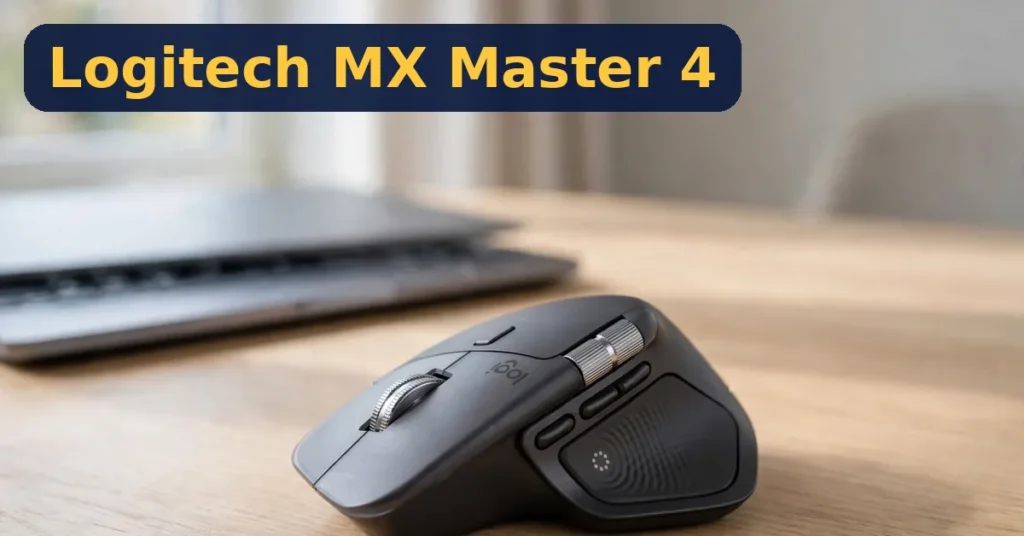
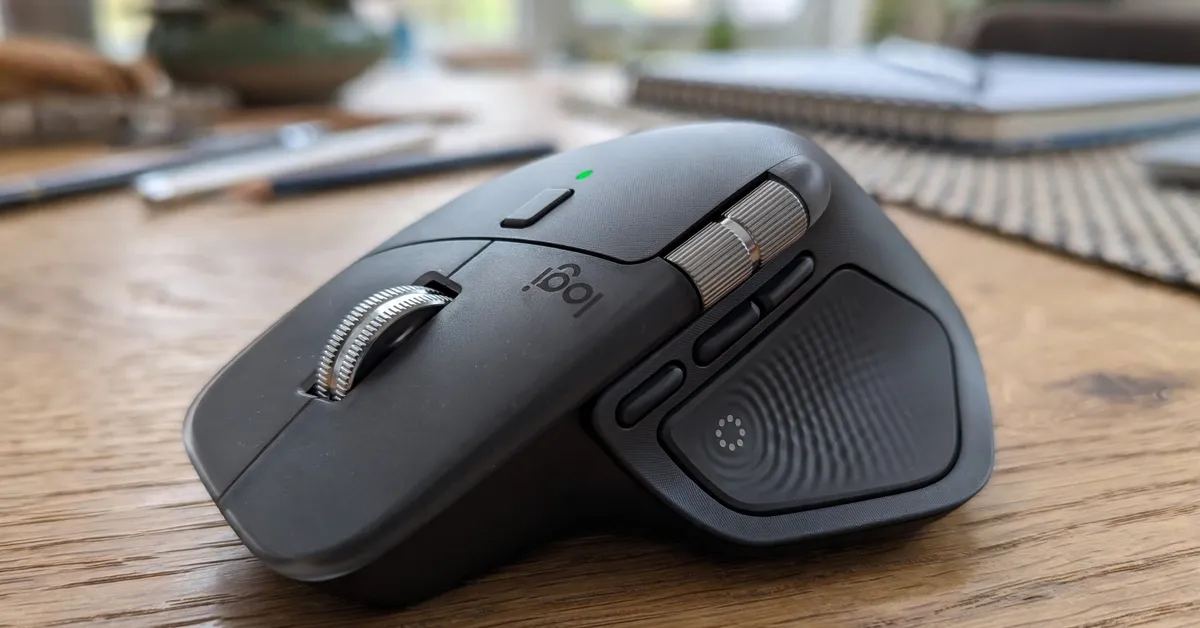
The Logitech MX Master 4 is Logitech’s flagship productivity mouse, and it adds something no mainstream mouse has offered before: haptic feedback. It sells for $119.99 in Graphite. Its promise is simple — to make everyday computer work feel more physical and more certain, one quiet tap at a time.
In this honest review, I break down what the haptic panel actually does. I also cover the new Actions Ring, the MagSpeed wheel, the 8,000 DPI sensor, and the catches you should know before buying. The short answer up front: owners rate it roughly 4.3 stars across nearly 1,900 Amazon ratings (GamepadSquire, August 2026), and the press consensus is unusually strong.
The short version: The MX Master 4 is the best productivity mouse Logitech has ever made, and the haptics are not a gimmick. The Haptic Sense Panel taps back when you snap a window, switch desktops, or drag a slider to its stop. These small confirmations add up over a workday. You also get the new Actions Ring and a MagSpeed wheel that flies through 1,000 lines per second. Add an 8,000 DPI sensor that tracks on glass, plus up to 70 days of battery per charge. Now the catches: it is right-hand only and large for small hands. The 125Hz polling rules out competitive gaming. Haptics and the Actions Ring need Logi Options+ to work at all. And at $119.99, it costs about $40 more than the MX Master 3S, which is still excellent.
Best for: Programmers, designers, and spreadsheet-heavy professionals who live at a desk and want the most capable productivity mouse available.
The Logitech MX Master 4 is a $119.99 ergonomic wireless mouse built for productivity work. Its defining feature is the Haptic Sense Panel — a thumb-area surface that gives physical feedback for actions like snapping windows, switching desktops, and hitting slider stops. It launched on September 30, 2025, succeeding the beloved MX Master 3S.
Beyond the haptics, the MX Master 4 carries the full MX toolkit. That means the MagSpeed scroll wheel with auto SmartShift, a horizontal thumb wheel, and a gesture button. It also has quieter clicks than the 3S, an 8,000 DPI any-surface sensor, and pairing with up to three devices over Bluetooth or Logitech’s Bolt receiver. It charges over USB-C, and Logitech claims up to 70 days per charge.
The mouse comes in Graphite (this review), Pale Gray, and Black, plus a Mac version. In October 2026, Logitech also launched Developer and Creator Editions with themed shells — the hardware inside is identical to the standard model.
MX Master 4 Features — In Detail
Haptic Sense Panel
The panel sits under your thumb and taps back at precise moments. It fires when you snap a window to half-screen, switch virtual desktops, or drag a slider to its minimum or maximum. Windows 11 builds from late March 2026 support these haptics natively, with a firmware update installed through Logi Options+. Reviewers consistently say the same thing: it sounds like a gimmick until you use it for an hour.
Actions Ring
The Actions Ring is a customizable on-screen radial menu you summon with a button press. You build one ring per app — four to eight shortcuts each. For example, a browser ring might hold new tab, reopen closed tab, and mute tab, while a code-editor ring holds go-to-definition and format document. It is genuinely useful for power users, and it is exclusive to the MX Master 4. Note, though: it only exists inside Logi Options+.
MagSpeed Wheel and SmartShift
The metal MagSpeed wheel scrolls up to 1,000 lines per second in free-spin mode. SmartShift automatically switches between precise ratchet mode and free-spin based on how hard you flick. As a result, long documents and timelines fly by, yet line-by-line control stays exact. The separate thumb wheel handles horizontal scrolling by default and can be remapped per app.
8,000 DPI Sensor and Quiet Clicks
The 8,000 DPI sensor tracks on glass — a real desk-surface upgrade for people who work on glass tables. Clicks are quieter than the already-quiet 3S, so the mouse stays office-friendly. The gesture button under the thumb opens gesture controls and can be remapped to almost anything.
Battery, USB-C, and Multi-Device
Logitech claims up to 70 days per charge, and the mouse recharges over USB-C. The Easy-Switch button on the underside hops between three paired devices — a laptop, a desktop, and a tablet, for example — over Bluetooth or the Logi Bolt receiver. That multi-machine flow is a core reason programmers and designers love the MX line.
Pricing
The Logitech MX Master 4 (Graphite) sells for $119.99 on Amazon — street and list are the same at $119.99 in the US, confirmed across current deal coverage. That positions it $40 above the MX Master 3S, which streets around $79.97 and remains an excellent mouse.
Is the $40 premium fair? If haptic feedback and the Actions Ring appeal to you, yes — neither exists on the 3S. If you only want the classic MX scrolling and ergonomics, the 3S is the smarter buy. Prices move, so check the live listing.
Full-Cost Summary
Logitech MX Master 4 (Graphite) on Amazon — $119.99.
Logi Bolt USB receiver (optional, for PCs without Bluetooth — sold separately, not included): price varies by seller.
The Haptic Sense Panel gives real tactile feedback — a confirmation tap when you snap a window, switch desktops, or drag a slider to its stop.
The Actions Ring puts app-specific shortcuts one click away, and it is genuinely useful for power users.
The MagSpeed wheel scrolls up to 1,000 lines per second and auto-switches between ratchet and free-spin with SmartShift.
The 8,000 DPI sensor tracks on glass and works across Windows, macOS, and Linux.
Up to 70 days of battery per charge with USB-C fast charging (Logitech’s claim).
One mouse drives three devices with the Easy-Switch button, over Bluetooth or the Logi Bolt receiver.
The Cons:
Right-hand only, and the full-size shape is too large for small hands — left-handers need a different mouse entirely.
125Hz polling makes it a poor pick for competitive gaming; this is a productivity tool, not an esports mouse.
Haptics and the Actions Ring only work through Logi Options+ — the software is effectively mandatory.
No onboard memory and no storage slot for the Logi Bolt dongle.
At $119.99 it costs about $40 more than the MX Master 3S (~$79.97), which remains excellent.
Who Should Buy the MX Master 4?
Best For: programmers, designers, video editors, and spreadsheet professionals who spend all day at a desk. Multi-machine workers who hop between a laptop and a desktop will love the three-device switching. Anyone curious about haptic feedback in a mouse should try this one first.
Not For: left-handed users — the shape is right-hand only. People with small hands should test the return window, because the body is large. Competitive gamers need a higher polling rate than 125Hz. Budget buyers should grab the MX Master 3S instead.
Versus Alternatives
Logitech MX Master 3S
The 3S is the MX Master 4’s closest rival and its own predecessor. It has the same MagSpeed wheel, 8,000 DPI sensor, quiet clicks, and three-device switching — but no haptics and no Actions Ring. At roughly $79.97 versus $119.99, it is the value pick. Buy the 4 for haptics and the ring; buy the 3S for everything else.
Logitech MX Master 2S
The 2S is an older generation that streets much cheaper. It lacks the any-surface sensor, quieter clicks, USB-C charging, and all the MX Master 4’s new features. It only makes sense as a bargain-bin find — the 3S beats it on every axis.
Logitech MX Anywhere 3S
The Anywhere 3S is the compact sibling with the same 8,000 DPI sensor and quiet clicks. It fits small hands and travel bags, but it has no haptic panel, no Actions Ring, and less palm support. Choose it for portability; choose the MX Master 4 for desk-bound power.
My Exclusive MX Master 4 Bonus
When you pick up the Logitech MX Master 4 through my link, you also get my free MX Master 4 Setup & Shortcuts Guide (PDF) — a companion I wrote to get you from box to full speed. It covers Logi Options+ setup, the Actions Ring, the haptic panel, and the per-app shortcut recipes that make this $119.99 mouse worth it.
What is new in the MX Master 4 compared to the MX Master 3S?
Two headline additions: the Haptic Sense Panel under the thumb and the customizable Actions Ring. It also has a more durable chassis that fixes the 3S’s sticky-coating issue and quieter clicks. The MagSpeed wheel, 8,000 DPI sensor, and three-device switching carry over.
Does the MX Master 4 work with Mac and iPad?
Yes. It pairs with Windows, macOS, iPadOS, Linux, and ChromeOS over Bluetooth or the Logi Bolt receiver. A dedicated MX Master 4 for Mac version also exists in Space Black.
How long does the MX Master 4 battery last?
Logitech claims up to 70 days per charge. Real-world mileage varies with haptics use and daily hours, but owners generally report weeks between charges. It recharges over USB-C, and a quick top-up gives hours of use.
Is the Logitech MX Master 4 good for gaming?
For casual and single-player games, yes. For competitive gaming, no — the 125Hz polling rate is far below gaming mice, and the large ergonomic shape is slow to flick. This is a productivity tool first.
What is the MX Master 4 Developer Edition — should I buy it instead?
The Developer Edition (October 2026) is the same mouse with a laser-etched developer-themed shell — syntax annotations and code motifs. The sensor, wheels, haptics, and battery are identical, and it costs the same $119.99. Buy it only if you love the look; it performs exactly like the standard Graphite model.
Is the Logitech MX Master 4 a scam or legit?
The MX Master 4 is a legitimate flagship product from Logitech, reviewed by PCMag, Tom’s Guide, and others. The real risk is counterfeits: fake MX mice circulate on marketplaces. Buy from Amazon directly or a reputable seller — never from a listing priced far below $119.99 with no seller history.
Does the MX Master 4 work without Logi Options+?
Basic pointing, clicking, and scrolling work without it. However, the haptics, the Actions Ring, per-app customization, and firmware updates all require Logi Options+. Plan on installing it — the mouse is half a product without the software.
Final Verdict: Is the MX Master 4 Worth It?
Rating: 4.3/5. The Logitech MX Master 4 earns its flagship title. The haptic panel is the rare headline feature that reviewers actually like. The Actions Ring gives power users a genuinely new tool, and the MX fundamentals — MagSpeed scrolling, glass tracking, three-device switching, long battery — remain best in class. At $119.99, it is not cheap, and the ~$80 MX Master 3S keeps the upgrade honest.
Buy it if: you want the most capable productivity mouse available, you like the idea of haptic confirmations, or you will use the Actions Ring daily.
Skip it if: you are left-handed, have small hands, play competitive games, or want maximum value — the MX Master 3S is waiting.
✍️ My Personal Verdict
I have not used the MX Master 4 myself. This verdict therefore comes from press reviews and owner sentiment rather than hands-on testing. PCMag gave it a perfect 5/5. Tom’s Guide and PCWorld landed at 4/5, and GamepadSquire scored it 8.9/10 — while owners rate it roughly 4.3 stars across nearly 1,900 Amazon ratings. The haptic panel sounds like a gimmick until reviewers describe using it, and the consensus is that it genuinely lands. My reservation is the size and the software lock-in: small hands and left-handers should walk away, and the mouse only shows its best side through Logi Options+. At $119.99 against a ~$80 3S, buy it for the haptics and Actions Ring — not for a speed upgrade.
This review contains affiliate links. If you buy the $119.99 Logitech MX Master 4 through them, I may earn a commission at no extra cost to you. My ratings and opinions are my own, based on research — a commission never buys a higher score.